The Fastest Way to Capture Ideas on Mac
A two-second keyboard sequence for capturing ideas during calls. No app switching, no breaking flow. Everything lands in Reminders to sort later. The capture has to be immediate, or it doesn't happen at all.

If you're on a call and someone mentions something worth remembering, how long does it take you to capture it?
For me, it's about two seconds. I've trained myself to use Apple's Spotlight with a simple keyboard sequence that's become muscle memory. The idea is captured in Apple Reminders, and I'm back to the conversation without breaking flow.
How it works
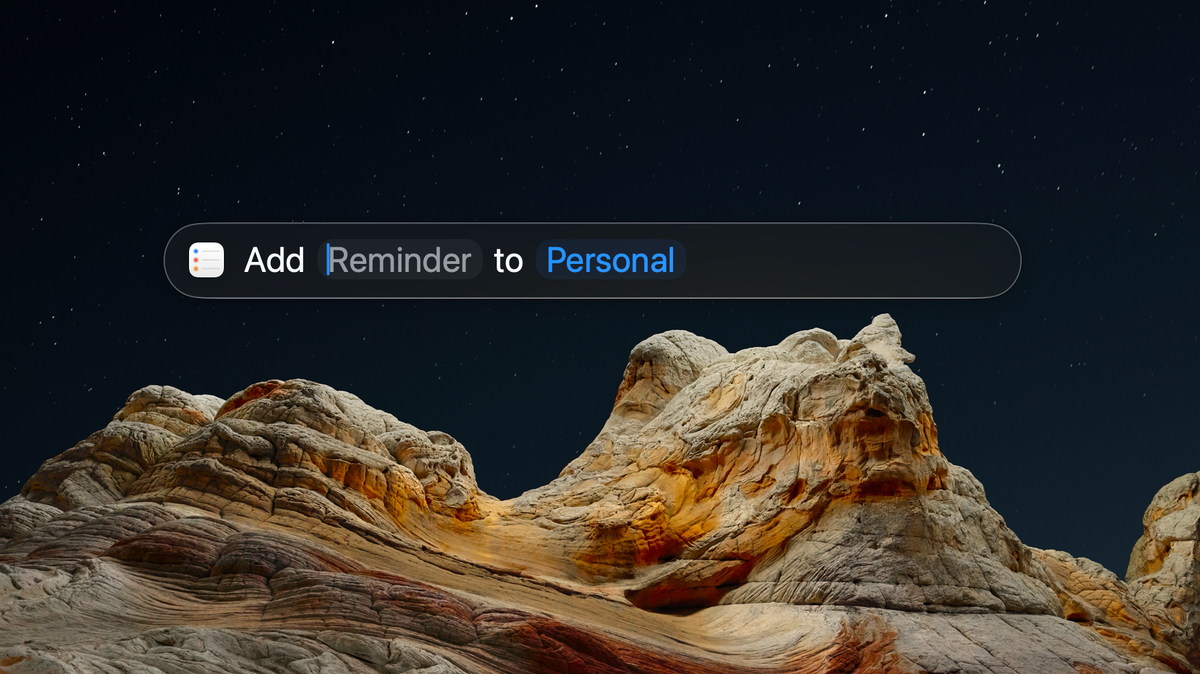
Spotlight has a built-in shortcut system that's pretty new, so you might not have noticed. Type nr (new reminder) and it immediately suggests "Add Reminder to Personal" - no need to open the Reminders app, no clicking around, no context switching.
The full sequence looks like this:
Cmd + Space(opens Spotlight)nr(finds the shortcut - this is customisable)- Type your reminder text
Enteragain (creates the reminder)Esctwice (closes everything and returns to what you were doing)
The whole thing happens in the background. Nobody on the call knows you've just captured something. Your hands never leave the keyboard.
I've been in countless meetings where someone shares something valuable, there's that moment where you think "I should write this down," and then... you don't. The friction is just high enough that the idea slips away.
This removes that friction completely. It's faster to capture the thought than to convince yourself it's worth remembering.
What makes it work isn't just the speed, though. It's that I don't need to categorise or organise anything in the moment. Everything lands in my default Reminders list, and I can sort through it later when I'm not trying to stay present in a conversation.
The categorisation happens afterwards, when I have time to think about what matters. But the capture has to be immediate, or it doesn't happen at all.
Customising the shortcut
You can change this shortcut to whatever makes sense for you. Hit Cmd + Space, then Tab three times to enter the Shortcuts section. Search for "reminders" and you'll see "New Reminder" in the results. On the right side, click "Add Quick Keys" and enter your preferred shortcut. Mine is nr.
The same approach works for other Spotlight shortcuts. There are built-in actions for creating calendar events, sending messages, making calls, and more. Pick triggers that feel natural to type without thinking, and they'll become muscle memory faster than you expect.