Quick Jira ticket access with Spotlight
A two-second workflow for jumping to Jira tickets using Spotlight and an Apple Shortcut. No more browser tab hunting.

I keep finding myself needing to jump to specific Jira tickets throughout the day. Opening the browser, finding the tab, searching for the ticket - it's just enough friction to be annoying.
So I built a keyboard shortcut that gets me there in about two seconds.
How it works
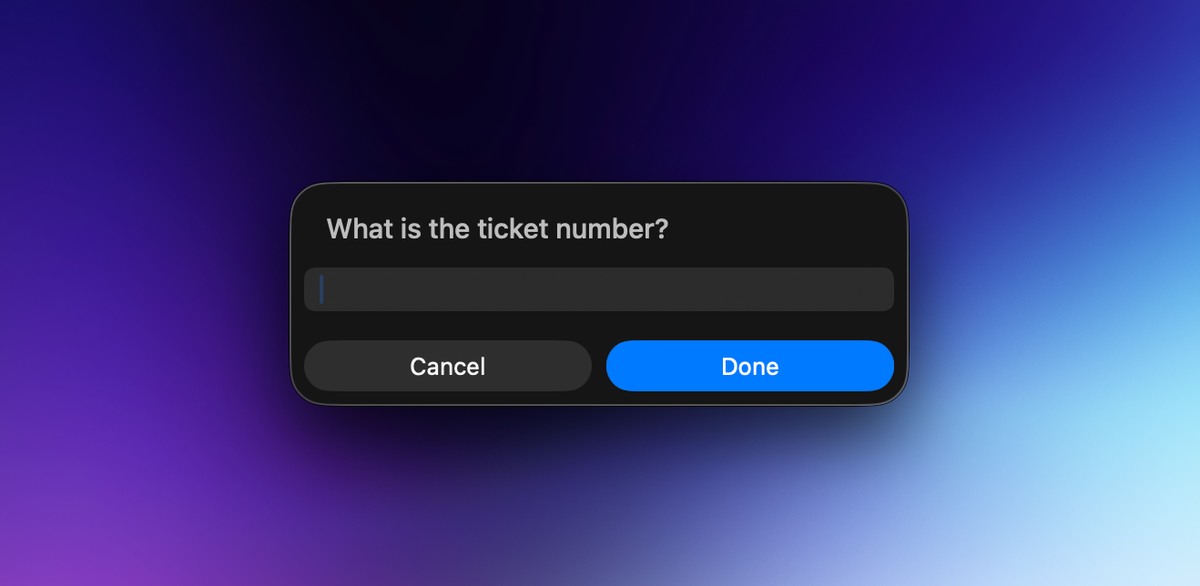
I hit Cmd + Space to open Spotlight, type "jira" and hit enter. This launches the shortcut which prompts me for the ticket number. I type the ticket ID, hit enter again, and the ticket opens in my browser. That's it.
The magic happens through an Apple Shortcut that takes whatever ticket number I give it and opens the corresponding Jira URL. Since I use Spotlight constantly anyway, this feels completely natural - it's just another search query.
Setting it up
You can grab the shortcut here: Download Jira Quick Access shortcut
Once installed, you'll want to customize it with your Jira instance URL. The shortcut is pretty straightforward - it takes your input, constructs the full ticket URL, and opens it.
The workflow looks like this:
Cmd + Spaceopens Spotlight- Type "jira" and hit
Enter - Shortcut prompts you for the ticket number
- Type "ABC-1234" (or whatever your ticket format is)
- Hit
Enteragain - Ticket opens in your default browser
It's one of those small optimizations that adds up when you're jumping between tickets dozens of times a day. No more hunting through browser tabs or waiting for Jira's search to load.